Stop guessing, start unifying your naming conventions: Introducing the Azure Governance Toolkit from atozazure.
The open-source toolkit for cloud engineers to master Azure governance without the administrative overhead.
Introduction
If you've worked within the cloud space for any amount of time, you'll know how fundamental cloud governance is, and simultaneously how frustrating it can be. From OCD triggering resources that someone has named incorrectly and or are missing some key resource tags for the automation to do its job can be a real headache.
While one or two instances of these sorts of issues might not sound like much, these can quickly snowball and before long an entire department is using daves-quick-fix-test-db for their main production database or one of the core apps is running from New-Virtual-Machine-Copy, not real examples aside (I'm sure it's happened somewhere) I think you get my point. Cloud governance can be a nightmare to keep on top of, but what can we do about it?
The scenario
About 9+ months ago, I found myself wrestling with a notoriously common headache: establishing and enforcing a consistent naming schema for my cloud resources.
You might be wondering, "Why not simply follow the Microsoft Cloud Adoption Framework (CAF)?" Well, while the CAF documentation is undeniably comprehensive, trawling through endless pages of guidelines and bespoke regex rules is incredibly time-consuming.
So, one evening, I decided to tackle the problem head-on. With a bit of help from my favourite LLM, I built a basic, automated Azure resource naming tool. By the following week, I was using it to generate the exact schemas I needed in seconds, and the efficiency gain was brilliant.
But as is often the case with developer tools, the scope quickly grew. I started adding more refinements, integrating new features, and addressing other governance pillars. Before long, it had evolved from a simple naming utility into a fully-fledged governance toolkit.
What is the toolkit?
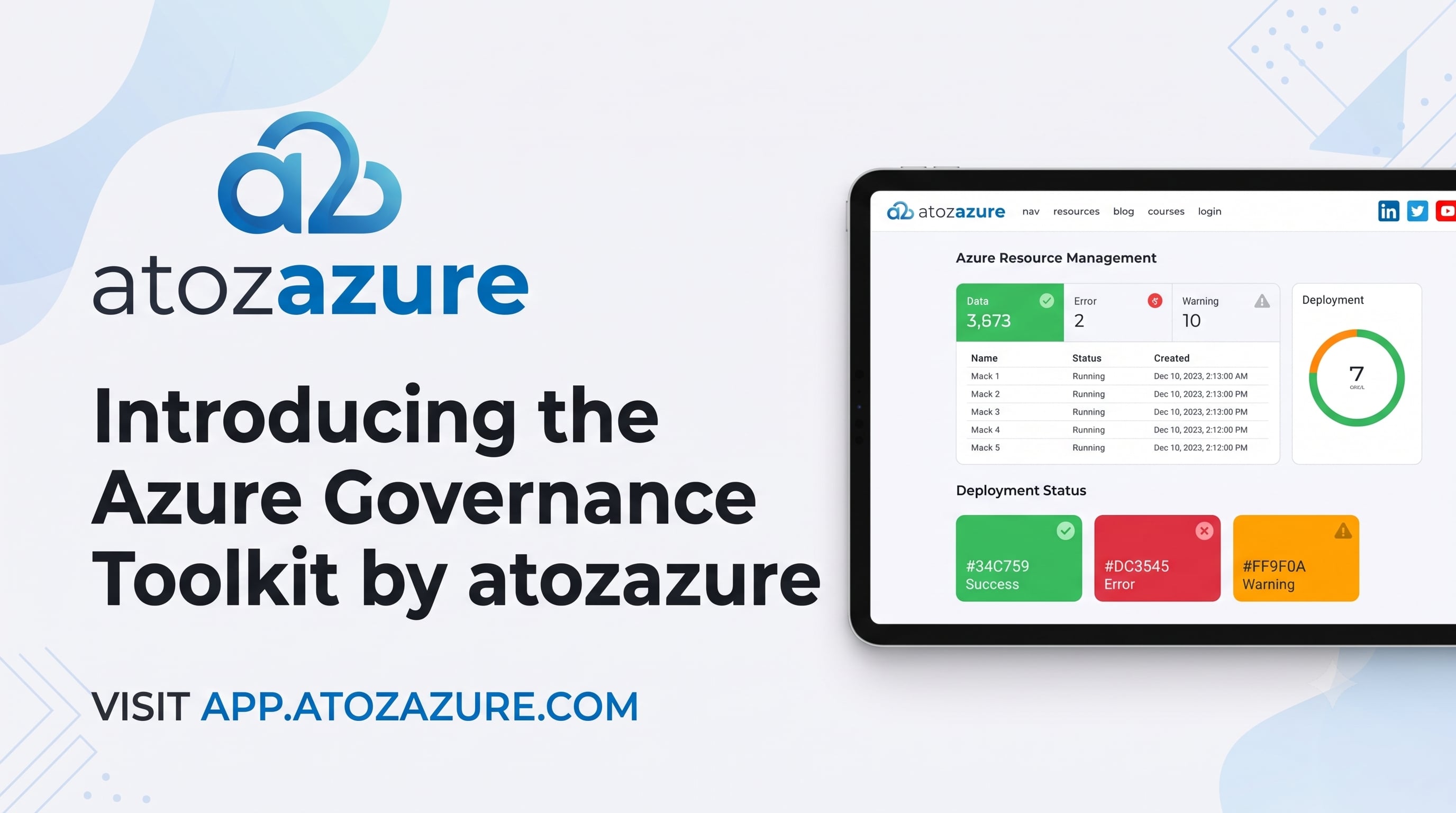
atozazure is an open-source, client-side web application built with React, Vite, and Tailwind CSS, adhering to Microsoft’s Fluent 2 design language. It serves as a unified workbench for cloud engineers to architect, standardise, and export enterprise-grade Azure configurations in seconds.
Rather than endlessly flipping between documentation tabs, atozazure bundles five essential cloud governance pillars into a single, responsive interface:
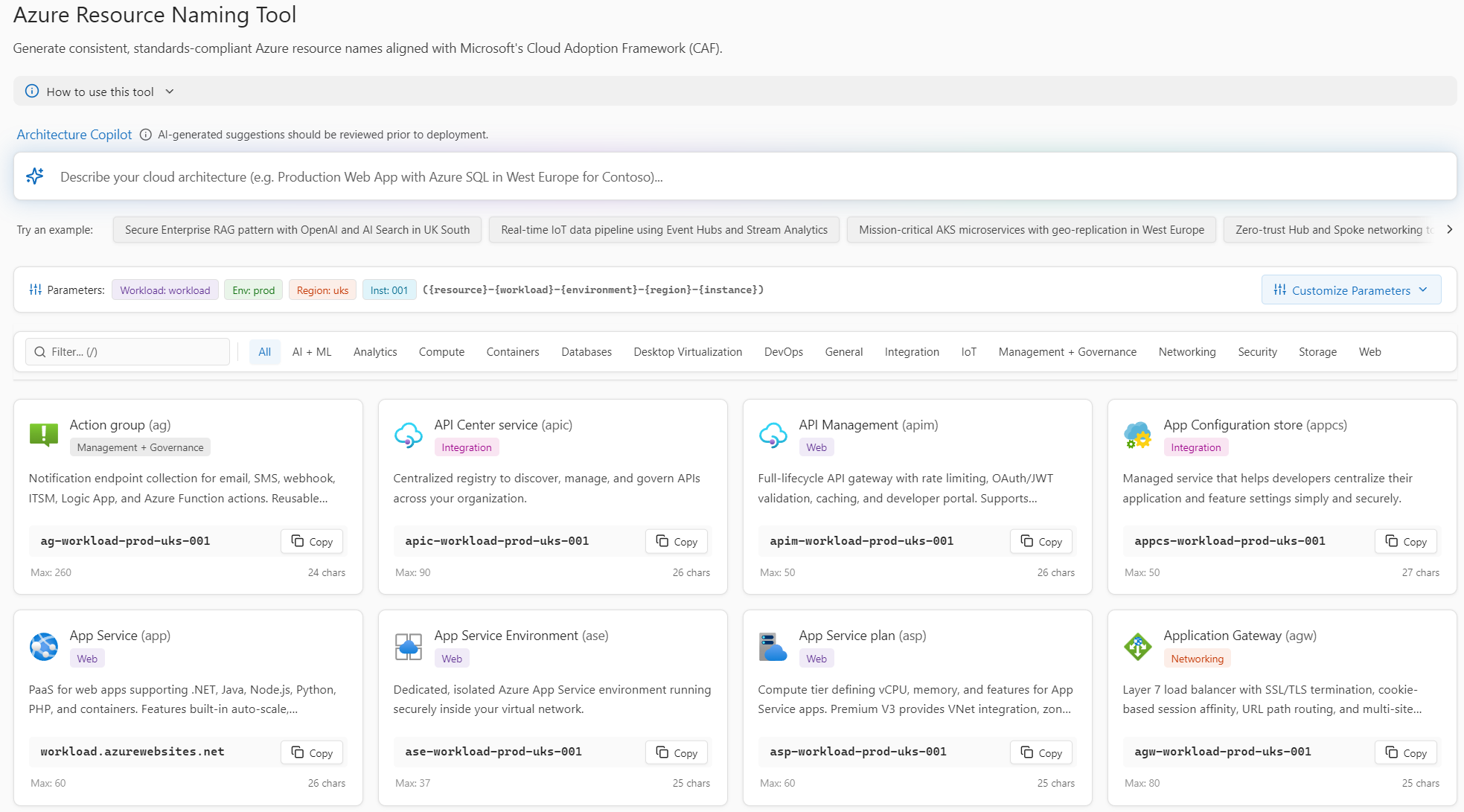
- Azure Resource Naming Tool (with real-time CAF validation, IaC generators, and AI assistance)
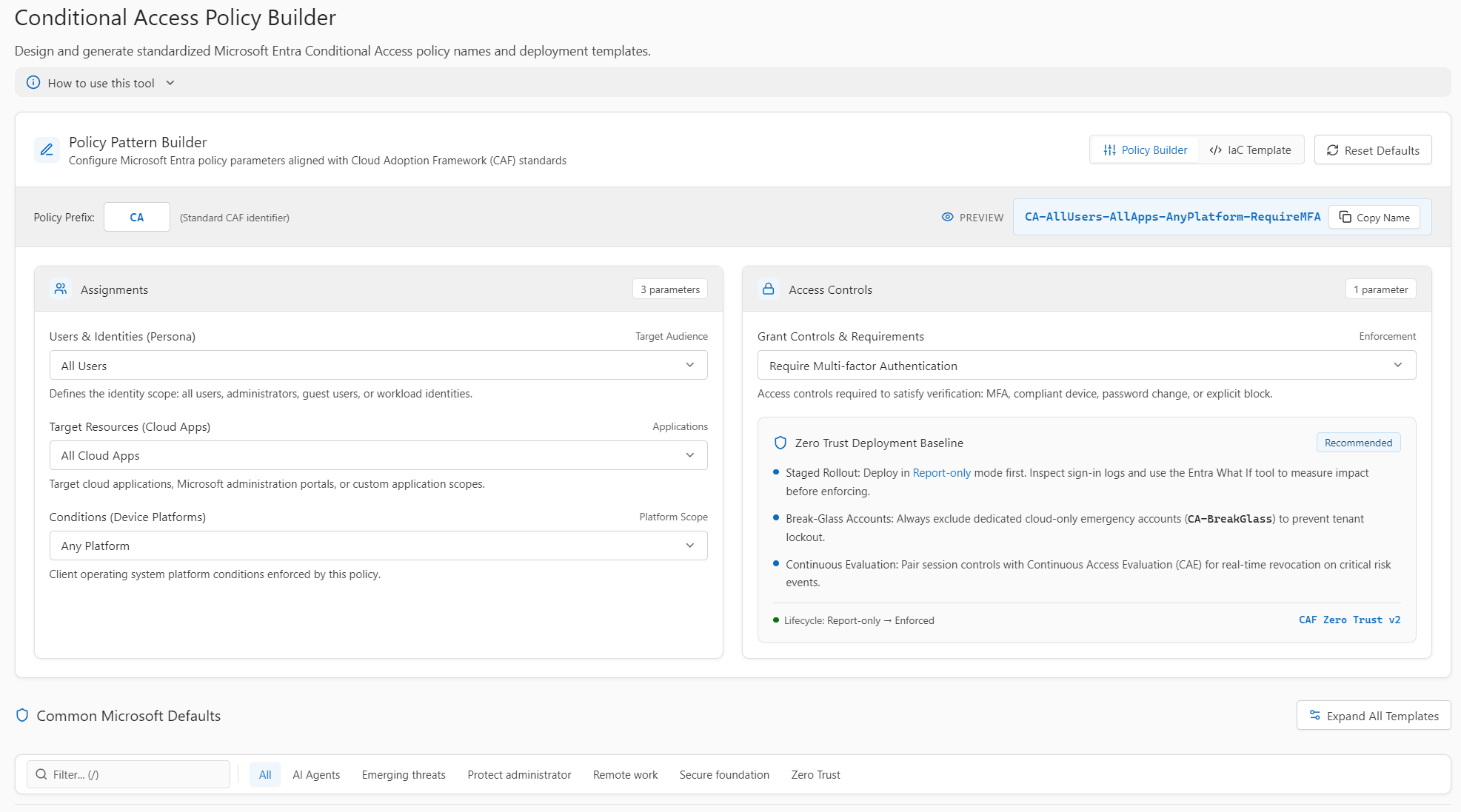
- Conditional Access Policy Builder (Zero Trust aligned)
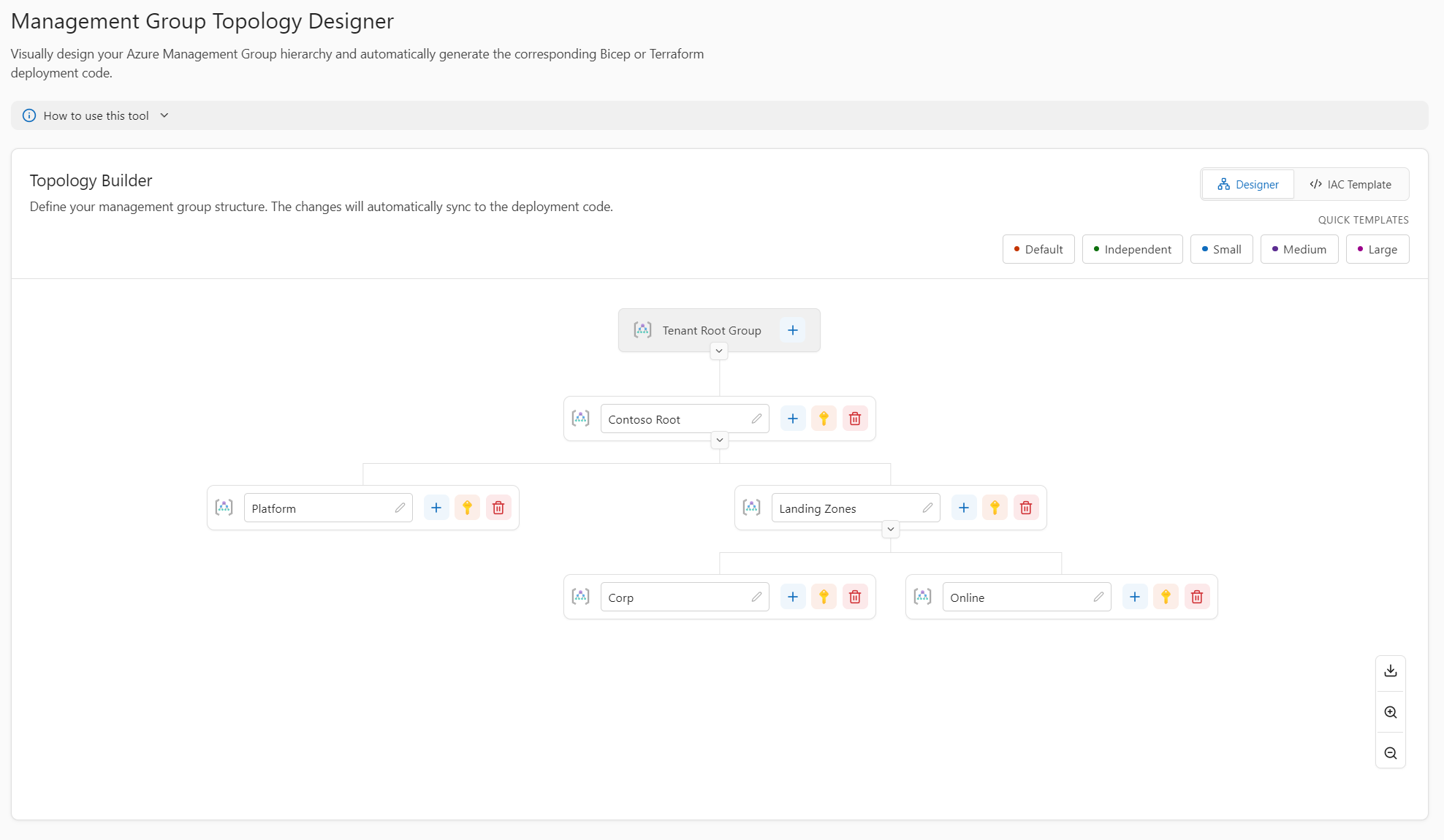
- Management Group Topology Designer (Visual Landing Zone tree + Bicep/Terraform export)
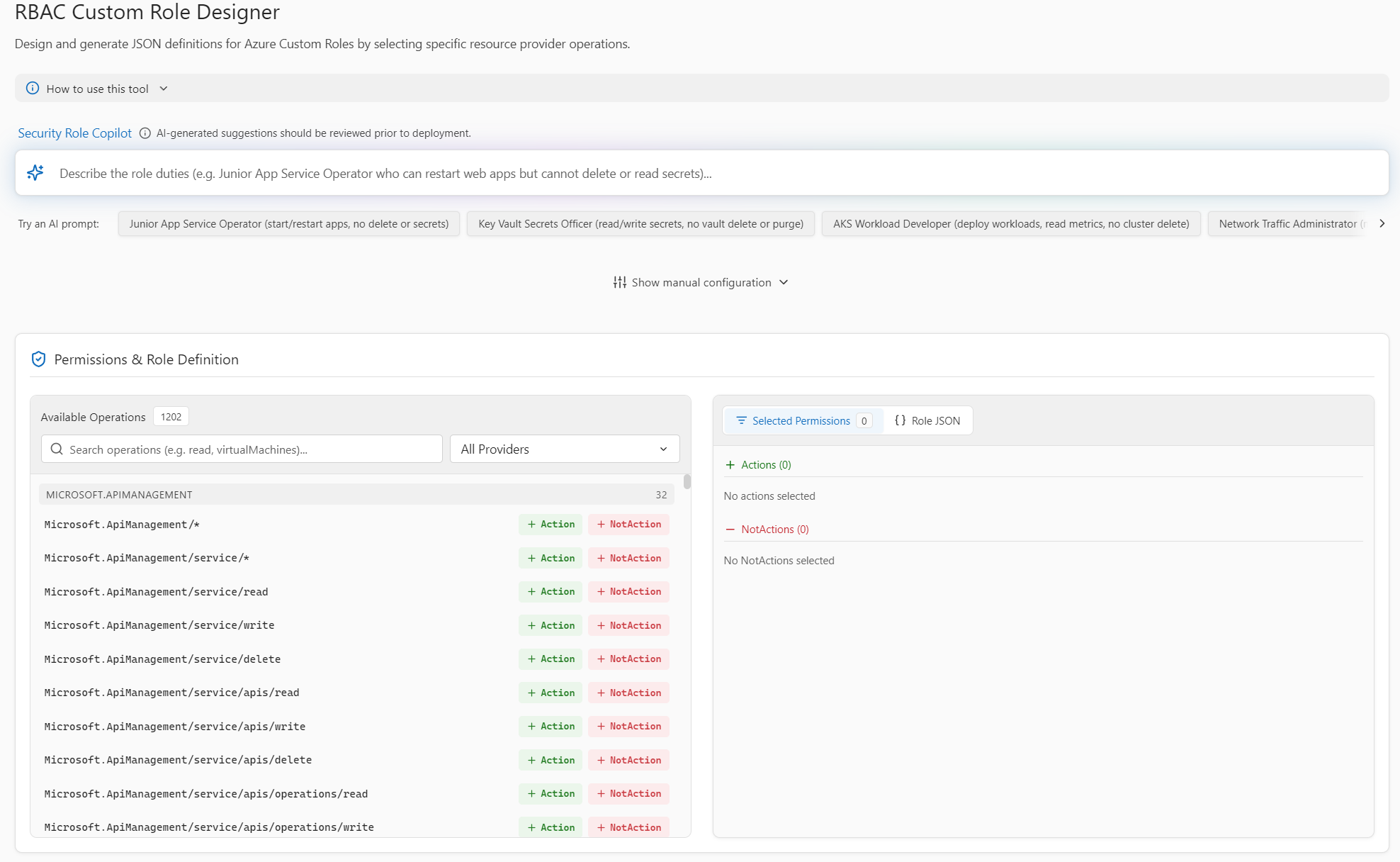
- RBAC Custom Role Designer (Granular permission selector + AI prompt assistant)
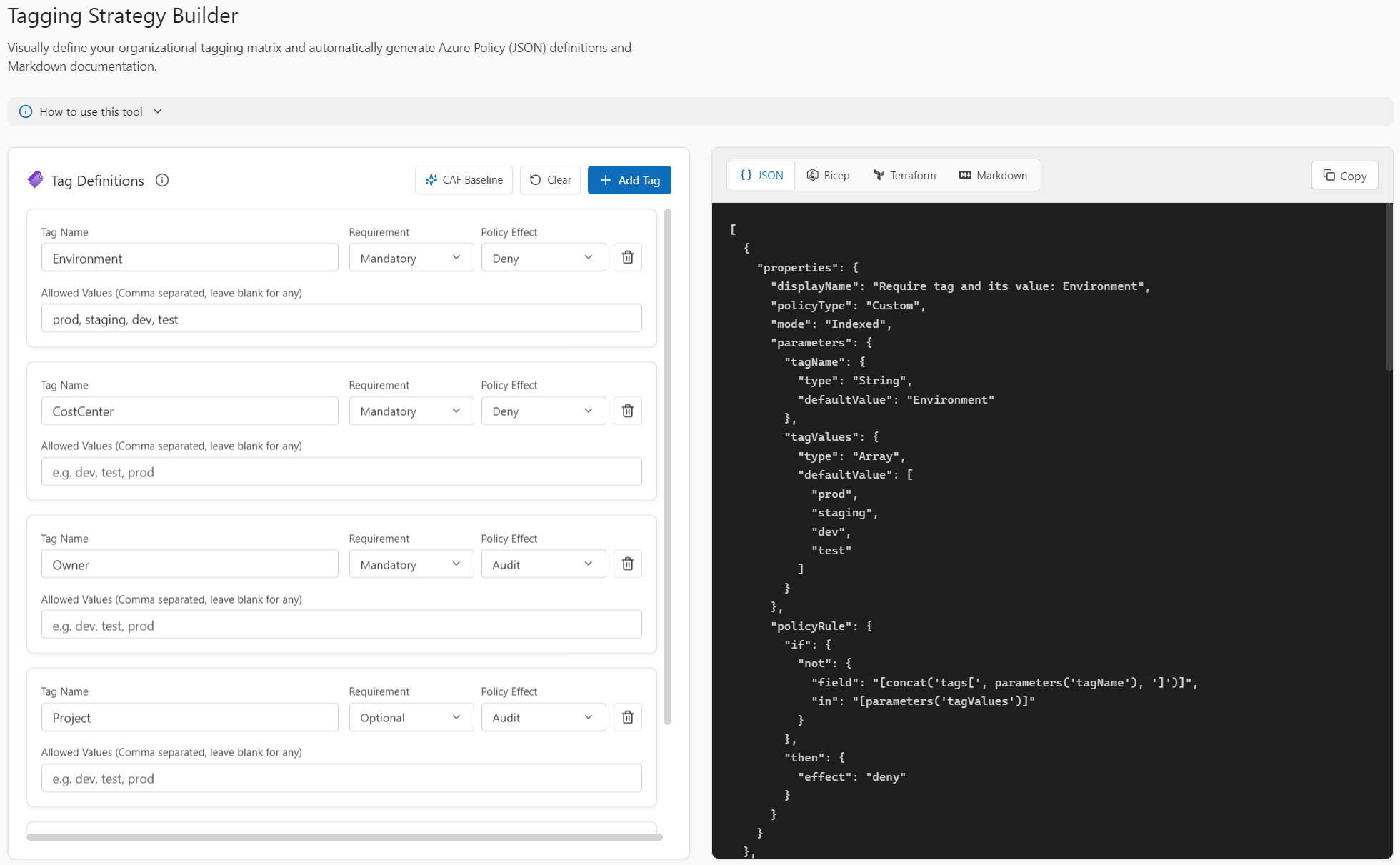
- Tagging Strategy Builder (Compliance matrix + Azure Policy generator)
Let’s take a look under the hood of each capability and how you can use them in your daily workflow.
1. Azure Resource Naming Tool: Real-Time CAF Compliance
Microsoft’s Cloud Adoption Framework (CAF) provides clear recommendations for naming resources. However, implementing them across Azure’s 100+ services—each with their own bespoke regex rules, character length limits, and casing constraints—is notoriously difficult.
How it works:
Dynamic Token Ordering: Customise your enterprise naming pattern with ease. Whether your organisation prefers
[Org]-[Workload]-[Environment]-[Region]-[Resource]-[Instance]or a completely bespoke variation, you can toggle and reorder tokens interactively.Smart Constraint Engine: The tool automatically sanitises and formats names per resource type. It strips hyphens and truncates strings for Storage Accounts (e.g.,
stmyworkloadprodweu001), enforces casing rules and NetBIOS limits for Virtual Machines, and auto-fills mandatory static names likeAzureFirewallSubnet.Scope Badges: Immediately identify whether a resource requires Global DNS uniqueness, Subscription scope, or Resource Group scope.
Instant IaC Snippet Export: Click on any resource card to inspect and copy pre-templated Terraform (
azurerm) and Bicep definitions with the generated name already wired in.AI-Powered Natural Language Naming: Press
Ctrl+Kand type: “Production UK South payment gateway with Redis cache, AKS cluster, and SQL database.” The integrated AI engine parses your prompt and pre-configures your environment and service selections instantly.
2. Conditional Access Policy Builder: Zero Trust Standardised
Microsoft Entra ID Conditional Access is the frontline of cloud identity security. Yet, in many tenants, policy lists resemble a graveyard of names like MFA Test, Block Legacy Auth 2 - NEW, and Temp CA Policy. A disorganised policy catalogue makes audits terrifying and incident response sluggish.
How it works:
Structured Zero Trust Syntax: Standardises policy naming into a clean, queryable convention:
[Prefix]-[Persona/Target]-[Resource/Cloud App]-[Enforcement Action](e.g.,CA001-AllUsers-AllCloudApps-RequireMFA).15+ Built-in Microsoft Recommended Templates: Includes battle-tested baseline policies spanning Secure Foundation (require MFA, block legacy auth), Zero Trust & Compliance (require compliant devices), Administrator Protection (phishing-resistant MFA), and Emerging Tech.
Interactive Policy Modeller: Select client platforms, device risk tiers, and session controls to generate compliant documentation and deployment configurations on the fly.
3. Management Group Topology Designer: Architect Landing Zones Visually
Organising subscriptions into an Azure Management Group hierarchy is the foundation of any scalable Azure Landing Zone. Structuring top-level groups incorrectly can lead to inherited policy conflicts and administrative headaches down the road.
How it works:
Visual Hierarchy Tree: Interactively model your root group, platform management groups (Management, Connectivity, Identity), and workload landing zones (Corp, Online, Sandbox).
CAF Best Practice Guardrails: Built-in architecture tips prevent you from violating depth limits or mixing landing zone archetypes.
One-Click IaC Generation: Instantly generate Bicep templates and Terraform code with proper parent/child dependencies. Say goodbye to manually typing nested resource IDs in your code editor.
4. RBAC Custom Role Designer: Enforce Least Privilege
When Azure’s built-in roles grant too much permission, organisations must create Azure Custom Roles. But navigating thousands of operations across dozens of resource providers in raw JSON is tedious and error-prone.
How it works:
Granular Operation Search: Easily search across resource provider operations and assign them into
Actions,NotActions, andDataActions.Pre-Built Role Templates: Jump-start role creation with templates for common archetypes like DevOps CI/CD Operator, Cost Auditor, or Key Vault Secret Rotator.
AI Role Generator: Describe the role in natural language (e.g., “A role that can restart virtual machines but cannot modify storage or secrets.”) and let the AI suggest the exact permissions and scopes needed.
Multi-Format Export: Export your custom role definition as Azure CLI / REST JSON, Terraform, or Bicep.
5. Tagging Strategy Builder: Turn Metadata Into Automated Guardrails
Tags are vital for cost allocation (FinOps), compliance tracking, and operational management. However, if your tagging rules aren't enforced via Azure Policy, compliance quickly drops to zero.
How it works:
Tag Matrix Builder: Define your organisation's mandatory and optional tag taxonomy (e.g., Environment, Owner, CostCentre).
Policy Enforcement Assignment: Select the enforcement mechanism for each tag (Audit, Deny, or Modify).
Dual Export: Export as a Markdown Table for your engineering wiki, or as an Azure Policy Definition (JSON) ready to deploy directly via GitOps.
Built for Cloud Engineers: Fast, Private, and Fluent
I've designed atozazure with developer experience at the centre:
Fluent 2 Design Language: Built to feel like a native extension of the Microsoft ecosystem, with seamless light and dark mode support.
Keyboard-First Navigation: Power users can jump directly to search with
/or trigger the AI assistant withCtrl+K.100% Client-Side & Private: Your naming prefixes, workload names, and hierarchy structures remain securely saved in your browser's local storage.
Zero Registration: Open the link and start building immediately. No accounts, no paywalls.
How to Try It Today
Visit atozazure WebApp
Go to the Resource Naming Tool, enter your workload (e.g.,
ecommerce), and select your environment. Watch every service card dynamically calculate the compliant name in real-time.Check out the Management Group Designer or RBAC Role Designer to generate Bicep or Terraform code for your current project.
Star or contribute to the open-source repository on GitHub.
Summary
Standardising cloud infrastructure shouldn't be a chore of reading documentation tables and writing boilerplate code. With atozazure, you can align your cloud architecture with Microsoft’s Cloud Adoption Framework, Zero Trust principles, and IaC best practices in minutes. Give it a spin on your next Azure deployment!
Good or bad, I always welcome any feedback!